
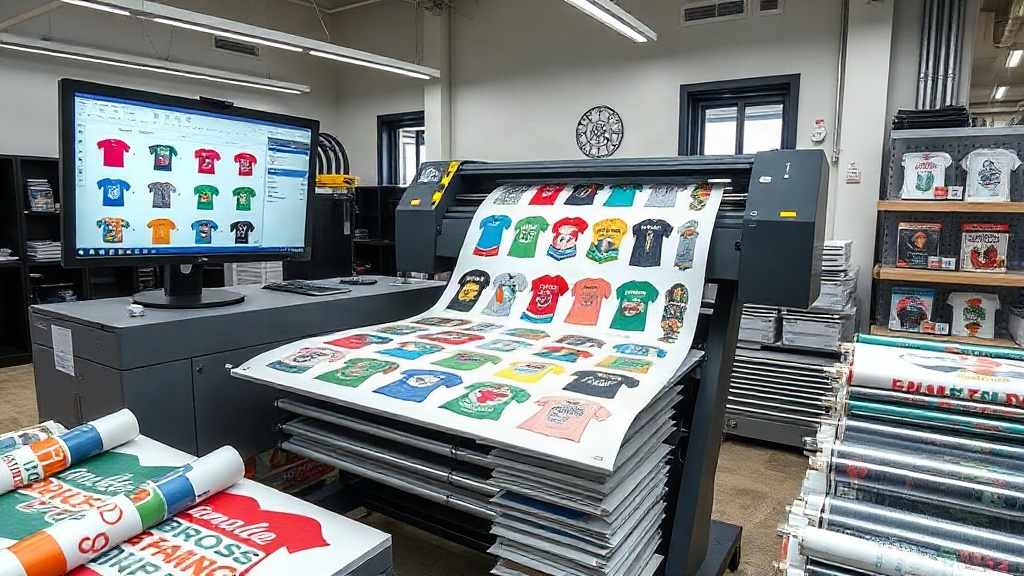
If you run a DTF printing business, you know the struggle: fitting multiple designs onto a single transfer film without wasting an inch. The solution? A DTF gangsheet builder. This tool lets you arrange various graphics onto one sheet, maximizing efficiency and slashing material costs. In this guide, we'll explore how a gangsheet builder works, why it's a game-changer, and how to use it like a pro.
What Is a DTF Gangsheet Builder?
A DTF gangsheet builder is a software tool that helps you arrange multiple DTF (Direct-to-Film) designs onto a single sheet. Think of it as a digital puzzle: you upload your artwork, and the builder automatically nests them to minimize empty space. The result is a "gangsheet" packed with transfers, ready to print in one pass. This approach is far more efficient than printing each design individually, especially for small orders or varied items like t-shirts, totes, and hoodies.
Why Use a Gangsheet Builder?
Time and money are precious in any print shop. A gangsheet builder addresses both. First, it reduces film waste by optimizing layout. Second, it cuts production time because you handle multiple jobs in a single print run. Third, it lowers ink and powder consumption since you're not running the printer for every tiny design. Over a month, these savings add up significantly.
Cost Savings
DTF film isn't cheap. If you print one design per sheet, you're throwing away valuable real estate. A gangsheet builder ensures every square inch counts, so you buy less film and reduce overhead. Plus, fewer print runs mean less wear on your printer.
Time Efficiency
Imagine printing 50 different designs for a client. Without a gangsheet builder, that's 50 separate print jobs. With it, you combine them into one or two sheets, drastically cutting labor and machine time. You can then focus on pressing and shipping, not babysitting the printer.
Consistency
When you print multiple designs together, they share the same ink and powder batch, leading to consistent color and texture. This is crucial for brand colors or large orders with variations.
How to Create an Optimized Gangsheet
Creating a gangsheet isn't just about dumping designs onto a canvas. You need strategy to maximize yield and quality. Here's a step-by-step approach.
1. Choose the Right Builder
Not all gangsheet builders are equal. Look for one that offers automatic nesting, rotation, and scaling. The best tools integrate with your printer's software and support common file formats like PNG and PDF. Some even let you set spacing and bleed lines to prevent cutting errors.
2. Prepare Your Artwork
Before uploading, ensure each design has a transparent background and is sized correctly. DTF printing requires high resolution (300 DPI) for crisp results. If you're using white ink, make sure your file includes a white underbase layer. Most builders handle this automatically, but double-check.
3. Set Your Sheet Size
Standard DTF film comes in rolls of 13, 17, or 24 inches wide. Your builder should let you input the exact dimensions. If you're using a roll, set the length to match your printer's maximum. For sheet-fed printers, select the appropriate size. Always leave a small margin (0.25 inches) for handling.
4. Arrange Designs for Efficiency
This is where the builder shines. Use auto-nesting to let the algorithm find the tightest fit. If you're doing it manually, group similar sizes together, rotate designs to fill gaps, and avoid overlapping. Remember that DTF transfers need a small gap (2-3 mm) between them to prevent ink bleeding.
5. Preview and Adjust
Before printing, preview the gangsheet. Look for empty spaces that could fit smaller designs. Many builders show a utilization percentage; aim for 85% or higher. Also, check that no design is cut off at the edges.
Common Mistakes to Avoid
Even with a builder, some pitfalls can ruin your output. Here are frequent errors and how to dodge them.
- Overcrowding: Packing designs too tightly can cause ink smudging or difficulty cutting. Leave adequate spacing.
- Ignoring grain direction: DTF film has a slight grain; if you rotate designs 90 degrees, the stretch might differ. Test first.
- Forgetting mirroring: DTF transfers must be mirrored before printing. Most builders have a mirror option; ensure it's on.
- Using low-res images: Scaling up a low-res design results in pixelation. Always start with high-quality artwork.
Advanced Tips for Power Users
Once you're comfortable with the basics, try these strategies to take your gangsheet game to the next level.
Batch by Color
If you're printing designs with similar color profiles, group them. This reduces ink changes and improves color consistency. For example, put all black-heavy designs together.
Use Nesting Software
Some dedicated nesting tools can integrate with your gangsheet builder. They use algorithms to rotate and place designs for maximum density. This is especially useful for irregular shapes.
Track Your Utilization
Keep a log of your gangsheet utilization rates. If you consistently hit 90%+, you're doing great. If not, analyze why: maybe your designs are too large or you're not rotating enough.
Experiment with Film Types
Different films have different release characteristics. Some are better for fine details, others for bold blocks. Test various films with your gangsheets to find the best match for your designs.
Integrating a Gangsheet Builder into Your Workflow
To fully benefit, make the builder a central part of your process. Here's a typical workflow:
- Receive orders and collect all artwork.
- Prepare each design (resize, add white underbase).
- Open your DTF gangsheet builder and set sheet dimensions.
- Upload designs and use auto-nesting.
- Manually adjust if needed, then preview.
- Send to printer and print.
- Apply powder, cure, and press.
This streamlined approach reduces back-and-forth and ensures nothing is missed.
Frequently Asked Questions
What file formats work best with a DTF gangsheet builder?
PNG with transparent backgrounds is ideal. PDF and TIFF also work, but ensure they have an alpha channel for transparency. Avoid JPGs as they don't support transparency.
Can I use a gangsheet builder for other printing methods?
While designed for DTF, some builders can be adapted for DTG or sublimation. However, the nesting algorithms are optimized for DTF's specific requirements, so results may vary.
How do I calculate the cost savings from using a gangsheet builder?
Track your film usage before and after. For example, if you used 10 sheets per week before and now use 6, that's a 40% reduction. Multiply by your film cost to see monthly savings.
Is a gangsheet builder necessary for small orders?
Even for small orders, it's beneficial. You can combine multiple small designs into one sheet, saving film and time. Plus, it's a good habit for scaling up.
What's the ideal spacing between designs on a gangsheet?
A 2-3 mm gap is generally safe. Too small and ink might bleed; too large and you waste space. Some builders let you set this automatically.
Mastering the DTF gangsheet builder is a surefire way to boost your print shop's efficiency and profitability. With the right tool and techniques, you'll wonder how you ever managed without it.